


How do I integrate a keypad deadbolt lock with a security camera system?
Dec 26, 2025
Leave a message
Integrating a keypad deadbolt lock with a security camera system can significantly enhance the security of your property. As a supplier of high - quality keypad deadbolt locks, I've witnessed firsthand the transformative impact such an integration can have on home and business security. In this blog, I'll walk you through the steps and considerations for integrating these two essential security components.
Why Integrate a Keypad Deadbolt Lock with a Security Camera System?
Before delving into the integration process, it's crucial to understand the benefits of combining a keypad deadbolt lock and a security camera system.
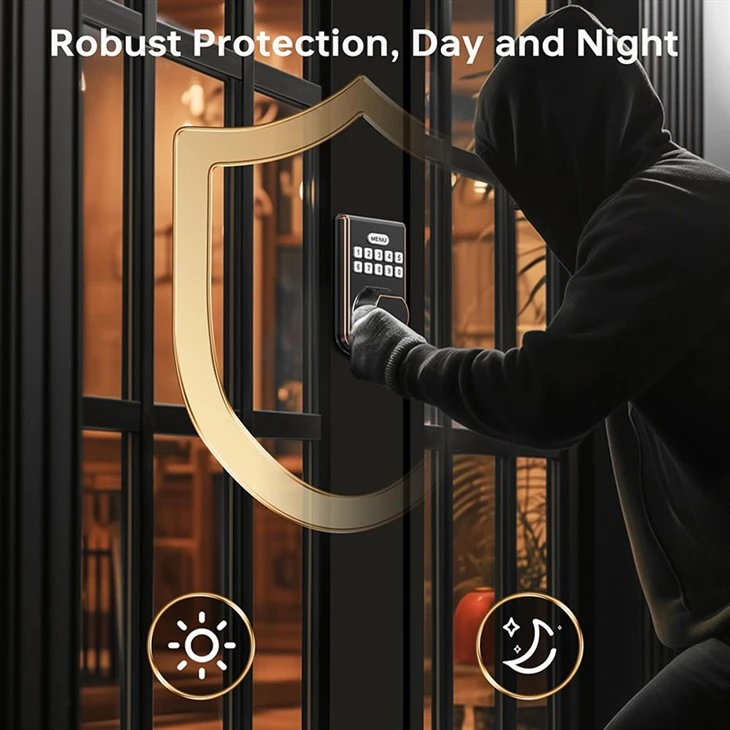
- Enhanced Surveillance: When a user enters a code on the keypad deadbolt lock, the security camera can capture the event. This provides a clear record of who is accessing the property and at what time. For example, if there's an unauthorized access attempt where someone tries to enter an incorrect code multiple times, the camera will record this suspicious activity.
- Accountability: In a business or multi - tenant setting, the integration allows for greater accountability. Managers can review the camera footage alongside the lock access logs to ensure that employees or tenants are using the keypad lock appropriately.
- Improved Security Response: If an alarm is triggered by the keypad deadbolt lock (for instance, due to repeated incorrect code entries), the security camera can immediately start recording, providing real - time visual information to security personnel or homeowners.
Selecting Compatible Equipment
The first step in integrating a keypad deadbolt lock with a security camera system is to choose compatible products.
- Check Communication Protocols: Both the keypad deadbolt lock and the security camera should support similar communication protocols. Common protocols include Wi - Fi, Bluetooth, and ZigBee. For example, if your keypad deadbolt lock uses Wi - Fi for communication, your security camera should also be Wi - Fi enabled to ensure seamless integration.
- Look for Smart Home Compatibility: Many modern keypad deadbolt locks and security cameras are designed to work within smart home ecosystems such as Amazon Alexa, Google Home, or Apple HomeKit. Choosing products that are compatible with these ecosystems can simplify the integration process and allow for greater control through voice commands or mobile apps.
As a supplier, I recommend our Best Keypad Door Lock Deadbolt. It offers advanced security features and is highly compatible with a wide range of security camera systems. Our Electronic Entry Door Deadbolt with Keypad is another excellent option, known for its reliability and ease of integration.
Installation Process
Once you've selected compatible equipment, the next step is installation.
Installing the Keypad Deadbolt Lock
- Read the Manual: Every keypad deadbolt lock comes with a detailed installation manual. Carefully read through it before starting the installation process. Make sure you have all the necessary tools, such as a screwdriver, drill, and measuring tape.
- Prepare the Door: Measure the door to ensure that the lock will fit properly. Mark the holes for the lock according to the template provided in the manual. Drill the holes and insert the lock components.
- Connect the Power: If the keypad deadbolt lock is battery - powered, insert the batteries. If it's wired, connect the wires to the appropriate terminals following the wiring diagram in the manual.
Installing the Security Camera
- Choose the Right Location: Select a location for the security camera that provides a clear view of the area around the keypad deadbolt lock. Consider factors such as the field of view, height, and angle. The camera should be able to capture the face of anyone using the keypad.
- Mount the Camera: Use the mounting hardware provided with the camera to attach it to the wall or ceiling. Make sure it is securely fastened.
- Connect the Camera: Connect the camera to the power source and the network. If it's a Wi - Fi camera, follow the setup instructions in the camera's app to connect it to your home or business network.
Integration Steps
After installing both the keypad deadbolt lock and the security camera, it's time to integrate them.

Using a Smart Home Hub
- Add Devices to the Hub: If you're using a smart home hub, such as Amazon Echo or Google Nest Hub, open the hub's app and add both the keypad deadbolt lock and the security camera to the device list. Follow the on - screen instructions to complete the setup process.
- Create Automation Rules: Once the devices are added, you can create automation rules. For example, you can set the security camera to start recording whenever the keypad deadbolt lock is accessed.
Direct Integration
- Use Manufacturer - Provided Software: Some keypad deadbolt locks and security cameras come with their own software that allows for direct integration. Install the software on your mobile device or computer and follow the instructions to connect the two devices.
- Configure Settings: In the software, configure the settings to specify how the two devices should interact. For example, you can set the camera to take a snapshot whenever an incorrect code is entered on the keypad lock.
Testing and Troubleshooting
After integration, it's essential to test the system to ensure that it's working correctly.
- Test Access and Recording: Enter a code on the keypad deadbolt lock and check if the security camera starts recording or takes a snapshot as expected. Try different scenarios, such as correct and incorrect code entries, to verify the system's functionality.
- Check for Errors: If you encounter any errors during testing, refer to the user manuals of the keypad deadbolt lock and the security camera. Look for common troubleshooting steps, such as checking the network connection, resetting the devices, or updating the firmware.
Maintenance and Upkeep
To ensure the long - term performance of the integrated system, regular maintenance is required.
- Update Firmware: Keep the firmware of both the keypad deadbolt lock and the security camera up to date. Manufacturers often release firmware updates to improve security, add new features, and fix bugs.
- Check Battery Life: If the keypad deadbolt lock or the security camera is battery - powered, regularly check the battery life and replace the batteries as needed.
- Clean the Equipment: Clean the keypad of the deadbolt lock and the lens of the security camera regularly to ensure clear visibility and proper operation.
Conclusion
Integrating a keypad deadbolt lock with a security camera system is a smart investment in your property's security. By following the steps outlined in this blog, you can create a seamless and effective security solution. As a supplier of Basics Electronic Keypad Deadbolt Door Lock and other high - quality keypad deadbolt locks, I'm committed to providing you with the best products and support for your security needs.
If you're interested in learning more about our keypad deadbolt locks or have questions about integrating them with a security camera system, I encourage you to reach out. Our team of experts is ready to assist you with product selection, installation, and any other aspects of your security setup. Contact us today to start the procurement process and take your security to the next level.
References
- "Smart Home Security: A Comprehensive Guide" by Security Experts Inc.
- Manufacturer's manuals for keypad deadbolt locks and security cameras.
Send Inquiry